AI-Powered Mobile Application Security: What It Does, Where It Helps, and How to Evaluate It
AI is changing how mobile app security findings are detected, triaged, and fixed. Here is what AI-powered mobile security actually does well, where it still needs a human, and how to judge a tool before you buy.
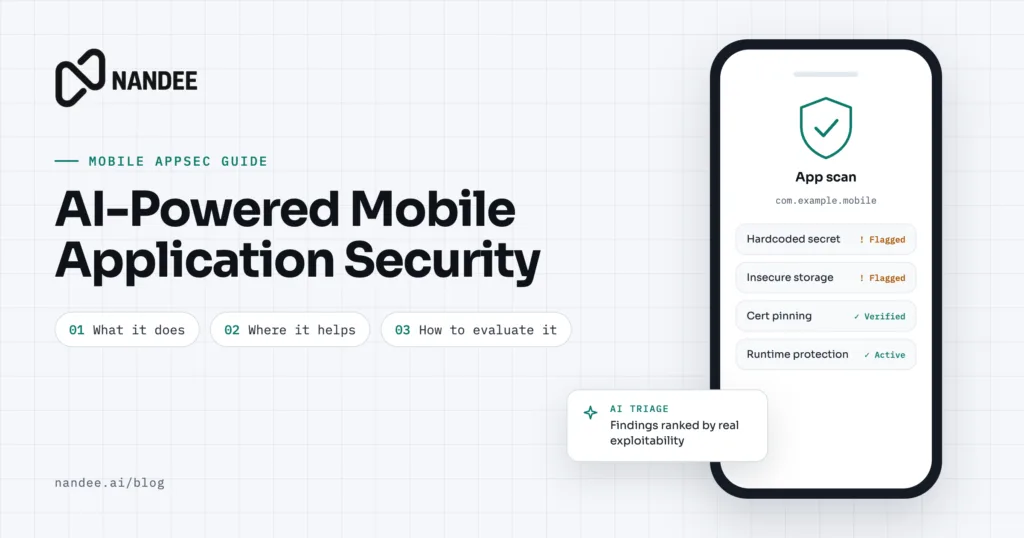
Most mobile teams do not have a security problem they can’t see. They have a security problem they can’t keep up with. A typical scanner run on a mid-sized Android or iOS app returns hundreds of findings, and someone has to decide which ten matter before the next release. That gap between finding and fixing is where AI is making the biggest difference.
This guide explains what “AI-powered” actually means in mobile application security, where it helps, where it does not, and how to evaluate a tool without getting lost in marketing claims. It is written for mobile engineering leads, security engineers, and startup CTOs.
Quick answer: AI-powered mobile application security uses machine learning and large language models to understand code in context. In practice, that means fewer false positives, findings ranked by real risk, plain-language explanations, and suggested fixes developers can review. It works best alongside traditional analysis and a human reviewer, not as a replacement for either.
Why traditional mobile security testing struggles
Classic static analysis (SAST) tools work by matching patterns. They flag every call to a weak hashing function, every string that looks like a key, and every exported component. Pattern matching is fast and predictable, but it has three well-known problems.
-
Too many false positives. A rule cannot tell a test fixture from production code, or a hardcoded public identifier from a real secret. Developers learn to ignore the tool.
-
No sense of priority. A critical issue in the payment flow and a low-risk issue in a debug screen often show up with the same severity.
-
Findings without fixes. A report that says “insecure storage, line 214” still leaves the developer to research the right fix for their framework and platform version.
The result is familiar to anyone who has run a mobile security program: long reports, slow triage, and a backlog that grows faster than it shrinks.
What AI changes
AI does not replace the analysis engine. It adds a layer of reasoning on top of it. The most useful capabilities fall into four areas.
1. Context-aware detection
Instead of looking at one line, an AI model can look at how data moves through the app. It can tell whether a token written to storage came from a login response, whether a WebView only ever loads your own domain, or whether a “secret” is actually a public client ID that is meant to ship. That context is what separates a real finding from noise.
2. False positive reduction
Because the model understands context, it can mark findings as likely false positives and explain why. Teams can then spend review time on the findings that matter. This is often the single biggest time saver, and it is the claim worth testing hardest during an evaluation (see the checklist below).
3. Risk-based prioritization
AI can weigh a finding against where it sits in the app: an authentication flow, a payment screen, or code that handles health data deserves more attention than an internal settings page. Good tools map findings to standards such as the OWASP Mobile Top 10 and MASVS so the ranking is explainable, not a black box.
4. Remediation guidance and suggested fixes
The most visible change is the fix itself. Instead of a link to a generic article, the developer gets a plain-language explanation and a suggested code change for their language and framework, whether that is Kotlin, Swift, React Native, or Flutter. The developer reviews it, adjusts it, and merges it like any other pull request.
Where AI still needs a human
AI-powered security is a force multiplier, not an autopilot. Be cautious of any tool that suggests otherwise.
•Business logic flaws. Whether a user should be able to see another user’s order is a product decision. AI can flag suspicious patterns, but a person who knows the app has to confirm them.
•Suggested fixes can be wrong. A fix that compiles is not always a fix that is correct or complete. Every AI-generated change should go through normal code review and testing.
•Confident mistakes. Language models can explain a non-issue very convincingly. Require evidence (the code path, the data flow) behind every high-severity finding.
•New and unusual issues. Models are strongest on patterns they have seen before. Novel architecture and custom crypto still need expert review.
The practical model is simple: let AI do the sorting, explaining, and first-draft fixing, and keep humans responsible for judgment and sign-off.
AI security also means securing AI in your app
There is a second meaning of “AI mobile security” that matters just as much. More apps now ship features built on large language models, either through a cloud API or on the device. Those features bring their own risks:
•Prompt injection, where content the model reads (a web page, an email, a document) contains instructions that change its behavior.
•Data leakage, where personal data is sent to a third-party model provider or logged in prompts and responses.
•Exposed API keys for AI services shipped inside the app, which ties straight back to M1 Improper Credential Usage.
•On-device model risks, such as models that can be extracted from the app package or outputs that are trusted without checks.
If your app uses AI features, include them in your threat model and your security testing scope. The same principles apply as everywhere else in mobile security: keep secrets on the server, validate everything the model returns before acting on it, and collect only the data you need.
AI-assisted testing vs traditional testing
|
|
Traditional pattern-based testing |
AI-assisted testing |
|
How it finds issues |
Rules and signatures |
Rules plus contextual reasoning about code and data flow |
|
False positives |
Often high |
Lower, with an explanation for each dismissal |
|
Prioritization |
Fixed severity per rule |
Ranked by context and business impact |
|
Output |
List of findings |
Findings with explanations and suggested fixes |
|
Best at |
Known patterns, fast and repeatable checks |
Triage, context, developer guidance |
|
Still needs |
Manual triage |
Human review of high-severity findings and fixes |
Most mature programs use both. Pattern-based checks give you speed and repeatability in CI; AI gives you context and turns findings into fixes.
How to evaluate an AI-powered mobile security tool
Vendors use “AI” to describe very different things. Use these questions to separate real capability from a chatbot added to an old scanner.
☐ Run it on your own app. Ask for a trial on a real build, not a demo app the vendor has tuned for.
☐ Measure false positives yourself. Review a sample of 20 to 30 findings and count how many are real.
☐ Check the evidence. Every high-severity finding should show the code path and why it is exploitable.
☐ Test the fixes. Apply three or four suggested fixes and see whether they compile, pass tests, and actually resolve the issue.
☐ Ask where your code goes. Is source code or the app binary sent to a third-party model provider? Is it used for training? Where is it stored, and for how long?
☐ Confirm platform coverage. Android and iOS, plus the frameworks you use, such as React Native, Flutter, or Kotlin Multiplatform.
☐ Look for standards mapping. Findings should map to OWASP Mobile Top 10 and MASVS so you can report to customers and auditors.
☐ Check CI/CD fit. It should run on pull requests or builds and fail on the severity levels you choose.
☐ Ask about humans in the loop. Can you mark findings as accepted risk, add context, and have the tool learn from it?
A tool that does well on these questions will save your team real time. One that cannot answer the data-handling questions clearly is a risk in itself.
Getting started
You do not need a large security team to benefit from AI-assisted testing. A practical first month looks like this:
1. Baseline. Run a scan on your current release and record the number of findings and how long triage takes.
2. Triage with AI. Use AI ranking and explanations to pick the top ten real issues.
3. Fix with review. Apply suggested fixes through normal pull requests and code review.
4. Automate. Add the scan to CI so new issues are caught before they ship.
5. Measure. Compare triage time and open high-severity findings against your baseline after 30 days.
FAQ
What is AI-powered mobile application security? It is the use of machine learning and large language models to detect, prioritize, explain, and help fix security issues in Android and iOS apps, usually on top of traditional static and dynamic analysis.
Can AI replace a mobile penetration test? No. AI makes testing faster and more consistent, but business logic flaws and chained attack paths still need an experienced human tester. Use AI to reduce the routine work so human testing time goes further.
Does AI reduce false positives in mobile SAST? Yes, when it has enough context about the code and data flow. Measure it on your own app during a trial rather than relying on vendor figures.
Is it safe to send my app’s code to an AI security tool? It depends on the vendor. Ask whether code is sent to third-party model providers, whether it is used for training, and how long it is retained. Prefer vendors that put these answers in writing.
Do AI features inside my app need separate security testing? Yes. Prompt injection, data leakage to model providers, and exposed AI API keys are mobile security risks and belong in your test scope.
See your app the way AI sees it
Nandee is an AI-assisted mobile application security testing platform for Android and iOS apps. It finds issues in context, cuts the noise, and gives your developers fixes they can review.