Android App Security: The Developer’s Guide
A practical guide to securing Android apps: storage, networking, the manifest, components, WebViews, deep links, dependencies, and release builds, with code you can use today.
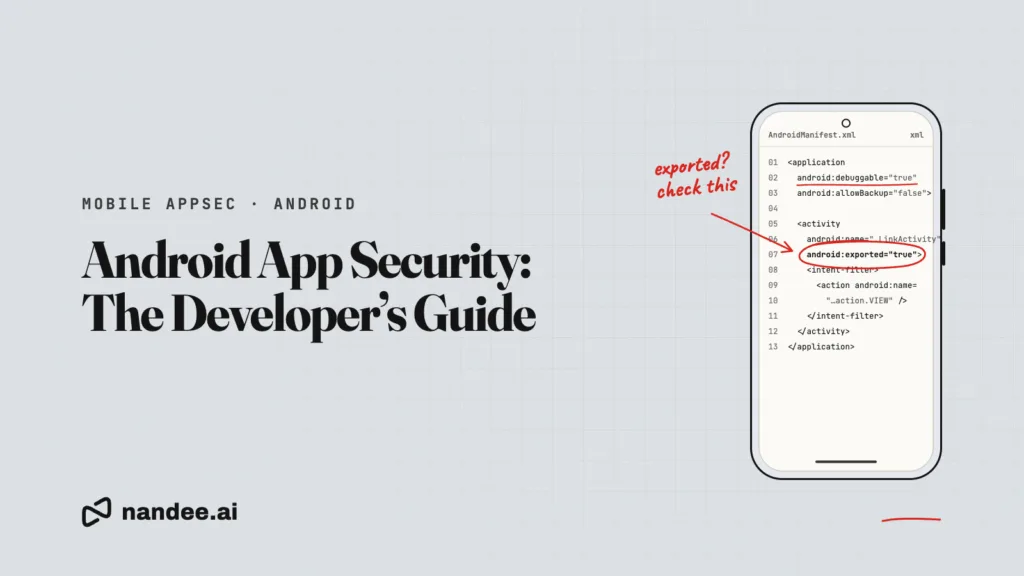
Android gives developers a strong security foundation: app sandboxing, a permission model, hardware-backed key storage, and verified app links. Most real-world Android vulnerabilities do not come from the platform. They come from how an app uses it, such as a component exported by accident, a token stored in plain text, or a WebView that loads more than it should.
This guide walks through the areas that matter most when securing an Android app, in the order most teams should tackle them. Each section explains the risk, the fix, and what to check before release.
Quick answer: To secure an Android app, keep secrets on your server, store tokens with Android Keystore, block cleartext traffic, lock down the manifest (no unneeded exported components, debugging off, backups restricted), validate every intent and deep link, restrict WebViews, keep dependencies updated, and verify app integrity on your server with the Play Integrity API.
1. Secrets and credentials
Anything inside your APK or AAB can be read by anyone who downloads it. That includes BuildConfig fields, strings.xml, assets, and native libraries.
•Keep third-party secret keys on your backend and have the app call your backend instead.
•Issue short-lived, narrowly scoped tokens to the app.
•Restrict any key that must ship (such as a maps key) to your package name and signing certificate in the provider’s console.
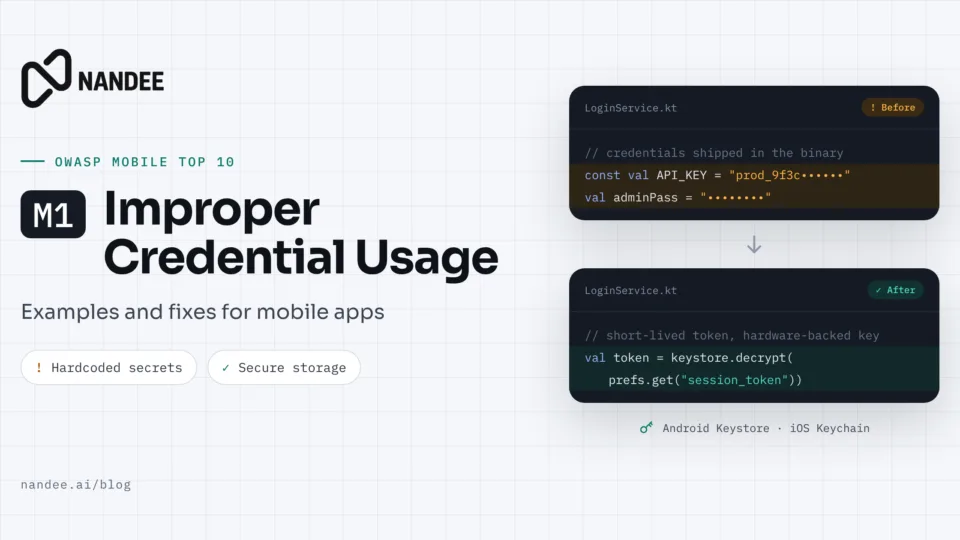
This is OWASP’s number one mobile risk. See M1 Improper Credential Usage for patterns and fixes.
2. Secure data storage
Each app has a private storage area, but that is not enough for sensitive data. Backups, rooted devices, and debugging tools can expose it.
•Store as little as possible. If the app does not need it offline, keep it on the server.
•Encrypt sensitive values with a Keystore key. The Android Keystore holds keys in secure hardware on most devices, so the key material is never exposed to the app process.
val spec = KeyGenParameterSpec.Builder(
“session_key”,
KeyProperties.PURPOSE_ENCRYPT or KeyProperties.PURPOSE_DECRYPT
)
.setBlockModes(KeyProperties.BLOCK_MODE_GCM)
.setEncryptionPaddings(KeyProperties.ENCRYPTION_PADDING_NONE)
.setKeySize(256)
.build()
val keyGen = KeyGenerator.getInstance(KeyProperties.KEY_ALGORITHM_AES, “AndroidKeyStore”)
keyGen.init(spec)
val key = keyGen.generateKey()
•Never write tokens or personal data to external storage, logs, or the clipboard.
•Hide sensitive screens from screenshots and the recent apps view with FLAG_SECURE where it makes sense, such as payment or health screens.
3. Network security
Every request your app makes should be encrypted and validated.
•Block cleartext traffic with a network security config.
•Never override certificate validation, even temporarily for testing. Custom TrustManager or HostnameVerifier code that accepts everything is one of the most common findings in Android apps.
•Pin public keys for high-risk APIs and always include a backup pin so a certificate rotation does not break the app.
<!– res/xml/network_security_config.xml –>
<network-security-config>
<base-config cleartextTrafficPermitted=“false” />
<domain-config>
<domain includeSubdomains=“true”>api.example.com</domain>
<pin-set expiration=“2027-01-01”>
<pin digest=“SHA-256”>PRIMARY_KEY_HASH_BASE64=</pin>
<pin digest=“SHA-256”>BACKUP_KEY_HASH_BASE64=</pin>
</pin-set>
</domain-config>
</network-security-config>
Reference it in the manifest with android:networkSecurityConfig=”@xml/network_security_config”.
4. Manifest hardening
The AndroidManifest.xml defines your app’s attack surface. Review the merged manifest (including what libraries add) before every release.
Setting
Secure default
Why it matters
android:debuggable
Never true in release
A debuggable build lets anyone with USB access inspect and modify the running app
android:allowBackup
false, or use backup rules that exclude sensitive files
Prevents app data from being copied out through backups
android:exported
false unless another app truly needs access
Exported components can be started by any app on the device
android:usesCleartextTraffic
false
Blocks unencrypted HTTP
Permissions
Only what the feature needs
Fewer permissions mean less to abuse and better user trust
Since Android 12, any component with an intent filter must declare android:exported explicitly. Treat that as a prompt to decide each one on purpose.
5. Components and intents
Activities, services, broadcast receivers, and content providers are entry points into your app.
•Keep components private unless they must be reachable by other apps.
•Protect exported components with a signature-level custom permission when only your own apps need access.
•Treat every incoming intent as untrusted input. Validate extras before using them, and never forward an incoming intent directly to startActivity without checks.
•Use explicit intents to start your own components, and set a package on implicit intents that carry sensitive data.
•Use PendingIntent.FLAG_IMMUTABLE unless the intent must be modified by the receiver.
•Use parameterized queries in content providers and restrict them with permissions.
6. WebViews
WebViews bring the web’s risks into your app.
•Load only your own trusted origins, and block navigation to anything else.
•Keep JavaScript disabled unless the page needs it.
•Avoid addJavascriptInterface on any WebView that can load untrusted content.
•Disable file access (setAllowFileAccess(false)) unless you rely on it.
•Never ignore SSL errors in onReceivedSslError.
7. Deep links and App Links
Custom URL schemes can be claimed by any app, so they are not a safe way to deliver sensitive data like login codes.
•Use verified Android App Links (https links with android:autoVerify=”true” and a matching assetlinks.json on your domain) for anything sensitive.
•Validate every parameter that arrives through a link before acting on it.
•Never let a link parameter decide which URL a WebView loads without an allowlist.
8. Dependencies and SDKs
Third-party code runs with your app’s permissions and access to its data.
•Pin dependency versions and review updates.
•Check what each SDK collects and which permissions it adds to the merged manifest.
•Generate a software bill of materials (SBOM) for each release.
•Keep your Google Play Data safety form consistent with what your SDKs actually do.
9. App integrity and server-side verification
Checks that run only on the device can be modified by someone who controls the device. For sensitive actions, let your server decide.
The Play Integrity API lets your server verify that a request comes from your genuine app binary, installed through Google Play, on a genuine certified Android device. Use it to protect high-value actions such as sign-up, payments, and promotions, and decide on the server how to respond to a failed verdict.
10. Release builds
•Enable R8 code shrinking and obfuscation for release builds. It reduces what is exposed, though it does not protect secrets.
•Strip debug logging from release builds.
•Sign with a key stored securely (Play App Signing or a hardware-backed key store) and restrict who can access it.
•Set minSdkVersion as high as your users allow so you benefit from newer platform protections.
Android security release checklist
☐ No secret keys in code, resources, or build config
☐ Sensitive data encrypted with a Keystore key, or not stored at all
☐ Cleartext traffic blocked; no custom trust-all certificate code
☐ Pinning with backup pins for high-risk APIs
☐ debuggable off, backups restricted, each exported reviewed
☐ Incoming intents and deep link parameters validated
☐ WebViews restricted to trusted origins
☐ Verified App Links for sensitive flows
☐ Dependencies pinned, SBOM generated, Data safety form accurate
☐ High-value actions verified server-side with Play Integrity
☐ R8 enabled and debug logs stripped in release
FAQ
What is the most common Android app security issue? Hardcoded secrets and insecure storage of tokens are among the most common, along with components exported without protection.
Is the Android app sandbox enough to protect user data? It is a strong baseline, but it does not protect against backups, rooted devices, or your own app’s mistakes. Encrypt sensitive data with a Keystore key and store as little as possible.
Does R8 obfuscation make my app secure? No. R8 makes code harder to read and smaller, but it does not hide string values like API keys. Use it as one layer, not as protection for secrets.
Should every Android app use certificate pinning? Not every app. Pinning helps most for apps handling payments, health data, or authentication. Always include a backup pin and an expiration plan.
How does Play Integrity help security? It lets your server confirm that a request comes from your genuine app on a genuine device, so you can protect sensitive actions from modified apps and emulators.
Test your Android app
Nandee is an AI-assisted mobile application security testing platform for Android and iOS apps. It checks your build against the issues in this guide and gives your developers prioritized fixes.