Third-Party SDK Risk: What Your Mobile App Is Really Shipping
Every SDK in your app ships under your name. How to audit third-party SDK risk, permissions, and data collection on iOS, Android, Flutter, and React Native.
The privacy review for a health tech app’s new release asks a simple question: “List every third party that receives user data from the app.” The engineering lead starts writing. Crash reporting, analytics, the payments SDK, push notifications. Then someone opens the analytics dashboard to double-check and finds event names like CardiologyResultsViewed and a property called userEmail, sent from a booking screen that a contractor instrumented a year ago.
Nobody decided to share health data with an analytics vendor. It happened one convenient track() call at a time.
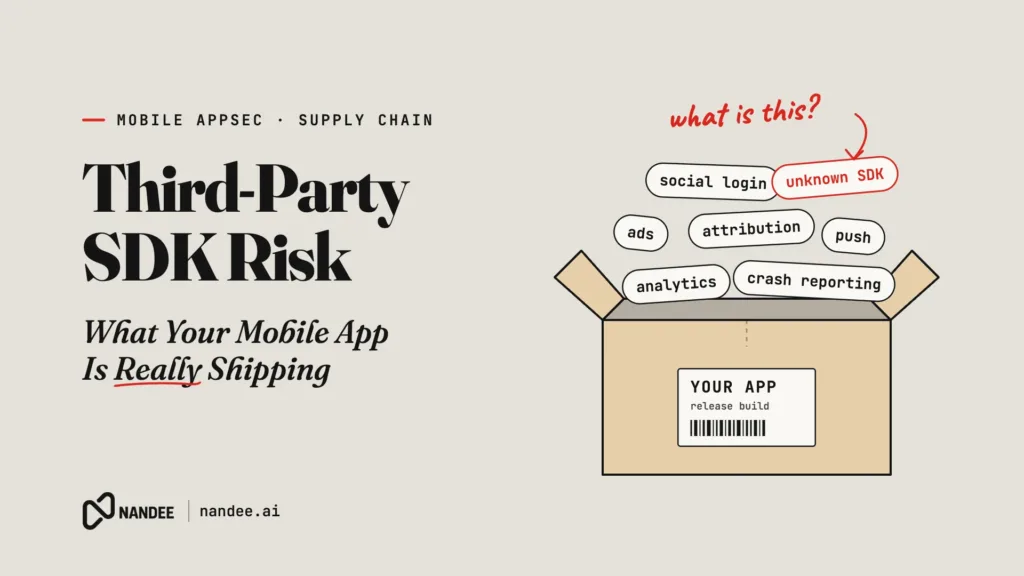
Your app ships code from every SDK you’ve added, and their dependencies too. SDKs and libraries bring features you need, but they also bring their own network calls, permissions, data collection, and vulnerabilities, and you ship all of it under your name. This article covers where third-party SDK risk comes from, what the standards and app stores expect, and how to get control of it with steps you can apply this week.
Why SDK Risk Is Your Risk
When an SDK ships inside your app, it runs with your app’s permissions, inside your app’s sandbox, under your app’s identity. From the user’s point of view, and from the app stores’ and regulators’ points of view, there is no separate vendor. There is your app.
That plays out in four ways.
Known vulnerabilities
SDKs and their transitive dependencies have CVEs like any other software. A networking library, an image decoder, or a JSON parser several levels deep in your dependency tree can carry a known issue you never chose directly. OWASP MASVS v2 addresses this under MASVS-CODE-3: the app should only use software components without known vulnerabilities. The related weaknesses include CWE-1104 (Use of Unmaintained Third Party Components) and CWE-1395 (Dependency on Vulnerable Third-Party Component). On the OWASP Mobile Top 10 (2024), this is M2, Inadequate Supply Chain Security.
Data collection you did not intend
Analytics, attribution, and session replay SDKs often collect more than the events you explicitly send: device identifiers, screen names, view hierarchies, sometimes text field contents. Combine that with developers passing whole user objects into track() calls and you get CWE-359 (Exposure of Private Personal Information to an Unauthorized Actor). The MASVS-PRIVACY control group exists precisely for this: minimize access to sensitive data and be transparent about what is collected.
Permissions you did not request
On Android, SDK manifests are merged into yours at build time. A library can add permissions such as location, contacts, or phone state that your team never added and never reviewed. They will still appear on your Play Store listing and in your users’ permission prompts.
Disclosures you are accountable for
Both app stores hold you responsible for what your SDKs do. Google Play’s Data safety section requires you to declare data collected and shared by the SDKs in your app, not just your own code. Apple requires privacy manifests (PrivacyInfo.xcprivacy) for apps and for a published list of commonly used third-party SDKs, including declarations of data collected and reasons for using certain APIs. If your declaration does not match what your SDKs actually do, that is your compliance problem.
For healthcare and fintech teams, the stakes are higher. Health data flowing to analytics or advertising platforms has drawn regulatory attention, including HHS guidance on online tracking technologies and FTC enforcement actions over health data sharing. Your partner bank or enterprise customer will ask the same question as that privacy review, and “we’re not sure” is not an answer they accept. Our mobile app security compliance guide covers what HIPAA, GDPR, and the app stores expect.
A Common Pattern: Sensitive Data Into Analytics
Here is what the opening scenario looks like in a React Native codebase:
// Vulnerable: CWE-359. PII and health context sent directly to a third-party SDK.
import analytics from '@vendor/analytics-react-native';

analytics.track('Appointment Booked', {
  userEmail: user.email,
  specialty: appointment.specialty, // e.g. "Oncology"
  clinicName: appointment.clinic.name,
  appointmentTime: appointment.startsAt,
});
Every screen that imports the SDK directly can send anything. Code review catches some of it, but not all, and nobody re-reviews old events when the business context changes.
The fix is to put a narrow, typed wrapper between your code and the SDK. Every event and every property must be explicitly allowed, and nothing is sent without consent:
import analytics from '@vendor/analytics-react-native';
import { consentStore } from './consent';

type EventName = 'appointment_booked' | 'login_success' | 'screen_view';

// The only properties each event may carry. No identifiers, no health context.
const ALLOWED_PROPS: Record<EventName, readonly string[]> = {
  appointment_booked: ['booking_channel'],
  login_success: ['method'],
  screen_view: ['screen_group'],
};

export function track(event: EventName, props: Record<string, string> = {}): void {
  if (!consentStore.analyticsAllowed()) return;

  const allowed = ALLOWED_PROPS[event];
  const safeProps = Object.fromEntries(
    Object.entries(props).filter(([key]) => allowed.includes(key))
  );

  analytics.track(event, safeProps);
}
Then make the wrapper the only allowed path to the SDK with an ESLint rule:
// .eslintrc.js
rules: {
  'no-restricted-imports': ['error', {
    paths: [{
      name: '@vendor/analytics-react-native',
      message: 'Use track() from src/analytics instead.',
    }],
  }],
},
Now adding a new property is a visible, reviewable change to one file, and a contractor cannot quietly send an email address from a booking screen. The same pattern works in Kotlin, Swift, and Dart: one wrapper, an allowlist, a consent gate, and a lint or code ownership rule that blocks direct SDK calls. Also check the SDK’s own settings for automatic screen tracking, text capture, and advertising identifiers, and turn off what you do not need.
Removing Permissions an SDK Added
On Android, open the merged manifest (Android Studio shows it in the Merged Manifest tab of AndroidManifest.xml) and compare its permissions with the ones your features actually need. If an SDK adds a permission you do not use, remove it explicitly:
<manifest xmlns:android="http://schemas.android.com/apk/res/android"
    xmlns:tools="http://schemas.android.com/tools">

    <!-- Added by an SDK, not needed by any feature we ship -->
    <uses-permission
        android:name="android.permission.ACCESS_FINE_LOCATION"
        tools:node="remove" />
</manifest>
Test the SDK’s features afterward. Some degrade gracefully without a permission and some do not, and you want to find out before your users do.
How to Audit Your SDKs This Week
You can get a clear picture of your third-party exposure without new tooling. Here is a practical sequence.
Build an inventory. Pull the full resolved dependency list for each platform: ./gradlew :app:dependencies --configuration releaseRuntimeClasspath on Android, Podfile.lock and Package.resolved on iOS, npm ls --all or your lockfile for React Native, and flutter pub deps for Flutter. Generating an SBOM in CycloneDX or SPDX format makes this repeatable and gives auditors something concrete.
Check for known vulnerabilities. Run the inventory against a vulnerability database such as OSV. For anything flagged, check whether a fixed version exists and whether your code actually uses the affected functionality.
Map what each SDK collects and sends. Read each vendor’s data collection documentation and privacy manifest, then verify against reality: proxy a test device through a tool such as mitmproxy or Burp Suite and watch which hosts the app contacts and what it sends during a normal session.
Reconcile permissions and disclosures. Compare the merged Android manifest, your iOS privacy manifests, your Data safety form, and your App Store privacy labels. Any mismatch is either an SDK doing something unexpected or a disclosure that needs updating.
Wrap and minimize. Put sensitive SDKs behind wrappers like the one above, gate initialization on consent where required, and disable features you do not use.
Remove what you no longer need. Every app accumulates SDKs from past experiments and abandoned features. Each one is attack surface and a disclosure obligation. Deleting one is often the cheapest security fix you will ship all year.
Watch updates, not just installs. Pin versions, read changelogs for SDK upgrades, and re-run the network check when a major version lands. An SDK’s behavior can change in an update you approved in seconds.
Why This Is Hard to Keep Up
An audit gives you a snapshot. The problem is that the snapshot goes stale with every release. Dependencies update, new CVEs are published against versions you already ship, and developers add SDK calls in screens nobody re-reviews. Keeping up across iOS, Android, Flutter, and React Native, on top of everything else the one or two security people at a Series A company handle, is where most teams fall behind. The gaps tend to surface during an audit, a partner bank review, or an app store rejection, which is the worst possible time to find them.
How Nandee Keeps Third-Party Risk Under Control
Nandee is an AI Mobile Application Security Engineer that makes this audit continuous instead of occasional.
Scan. Nandee’s SCA/OSS analysis identifies the open source components in your native iOS, native Android, Flutter, and React Native apps and flags those with known vulnerabilities. SAST covers the code your team writes around those SDKs, and DAST examines the running app, so dependency risk and code risk show up in one report.
Triage. AI Triage removes false positives and ranks findings by exploitability, so a reachable vulnerability in a library you rely on is not buried under dozens of advisories for code paths you never use.
Fix. The Green Agent writes code fixes in the language each finding lives in: Kotlin, Swift, Dart for Flutter, or JS/TS for React Native. Your developers review a proposed change instead of starting from a CVE description.
Verify. The Red Agent provides AI pentesting against your app, and Nandee’s expert-led manual pentesting covers mobile and web apps when you need human depth before a launch or an audit. For health tech teams, Nandee signs BAAs.
You keep shipping the SDKs your product needs. Nandee keeps track of the risk they bring with them, release after release.
Know What You Ship
Third-party SDKs are not going away, and they should not. They let a small team ship a product that would otherwise take years to build. But every one of them ships under your name, and your users, auditors, and partners will hold you to what they do.
Start a scan or book a demo at nandee.ai and see what your current build really includes. Then choose the plan that keeps every release, and every dependency inside it, under control.