Mobile App Security Checklist for 2026 (Android and iOS)
A copy-ready mobile app security checklist for 2026: credentials, storage, networking, platform config, privacy, and dependencies.
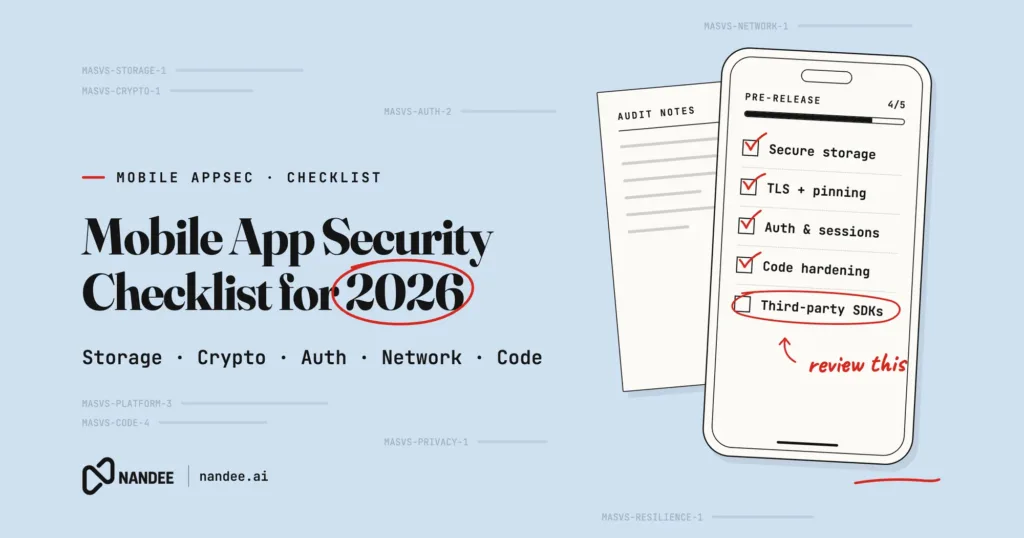
A security checklist is only useful if a real team can run it before a real release. This one is built to do exactly that. It is organized by area, ordered roughly by how often each issue leads to a real breach, and it maps to the OWASP Mobile Top 10 (2024) so you can see why each item is here.
Use it as a pre-release gate, a code review guide, or the starting point for your own standard. It applies to native Android, native iOS, and cross-platform apps built with React Native or Flutter.
Quick answer: The highest-impact items are to keep secrets off the device, store tokens in Keystore or Keychain, enforce authorization on your server, encrypt and validate all network traffic, lock down your app configuration, and automate these checks in CI so they run on every build.
1. Credentials and secrets (M1)
☐ No third-party secret keys in source code, resources, or build config
☐ Public SDK keys restricted to your package name, signing certificate, or bundle ID
☐ Backend issues short-lived, narrowly scoped tokens for any direct service access
☐ User session tokens stored in Android Keystore or iOS Keychain, never plain storage
☐ OAuth 2.0 with PKCE and the system browser for sign-in; no stored passwords
☐ No credentials in URLs, logs, or crash reports
☐ Every secret that ever shipped has been rotated
☐ Secret scanning runs on every pull request and release build
2. Authentication and authorization (M3)
☐ Every API enforces authorization on the server, on every request
☐ The app never decides access rights on its own (no client-only role checks)
☐ Object access is checked by owner, so one user cannot read another’s data by changing an ID
☐ Sessions use short-lived tokens with server-side revocation
☐ Sensitive actions require re-authentication or step-up where appropriate
☐ Biometric unlock gates access to a securely stored key, not just a UI screen
3. Data storage (M9)
☐ Sensitive data is kept on the server unless it must be offline
☐ On-device sensitive data is encrypted with a Keystore or Keychain-backed key
☐ The strictest practical iOS data protection class and Keychain accessibility are used
☐ No sensitive data in external storage, logs, caches, or the clipboard
☐ Sensitive screens are hidden from screenshots and the app switcher where it matters
☐ Backups exclude sensitive files (Android backup rules, iOS backup exclusion)
4. Network communication (M5)
☐ All traffic uses TLS; cleartext is blocked
☐ Certificate validation is never disabled or overridden
☐ Certificate or public-key pinning is used for high-risk APIs, with a backup pin
☐ App Transport Security is enabled on iOS with justified exceptions only
☐ No sensitive data is sent in URL query parameters
5. Platform configuration (M8)
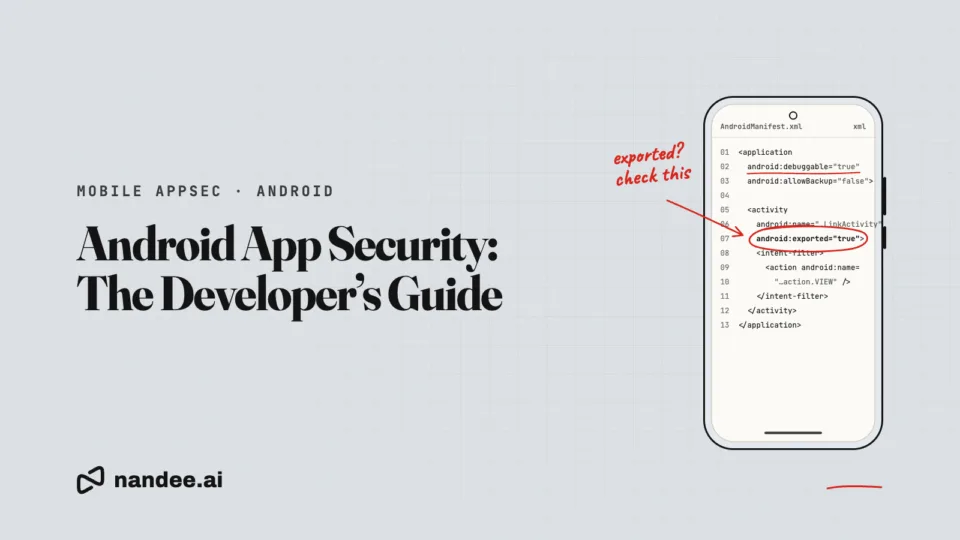
☐ android:debuggable is off in release builds
☐ Backups are restricted appropriately
☐ Every exported Android component is reviewed and protected or made private
☐ iOS NSAllowsArbitraryLoads and other development exceptions are removed
☐ The app requests only the permissions its features need
☐ The merged manifest and Info.plist are reviewed before each release
6. Input and platform interaction (M4)
☐ Deep links and App Links validate every parameter before acting on it
☐ Incoming intents and inter-process messages are treated as untrusted input
☐ WebViews load only trusted origins and limit native bridges
☐ Database queries and content providers use parameterized queries
☐ Verified App Links or Universal Links are used for sensitive flows
7. Privacy (M6)
☐ The app collects the minimum data its features require
☐ Personal data is kept out of logs, crash reports, and analytics
☐ Third-party SDKs initialize only after consent where required
☐ The Google Play Data safety form is accurate and matches SDK behavior
☐ The iOS privacy manifest is present and accurate
☐ Users can access and delete their data as required by law
8. Dependencies and supply chain (M2)
☐ Dependency versions are pinned and lockfiles are committed
☐ A software bill of materials (SBOM) is generated for each release
☐ Each SDK’s data collection and added permissions have been reviewed
☐ Software composition analysis runs across Gradle, CocoaPods, SwiftPM, npm, and pub
☐ Signing keys and CI secrets are protected like production credentials
9. Cryptography (M10)
☐ Modern algorithms only (AES-GCM for data), with platform-held keys
☐ A fresh random nonce or IV is used for each encryption
☐ No MD5 or SHA-1 for anything security-relevant
☐ No home-made cryptography; platform crypto APIs are used
10. Testing and release
☐ Static analysis (SAST) runs on every pull request
☐ Dynamic testing runs on a real or emulated device per release
☐ A manual or AI-assisted penetration test runs before major releases and at least yearly
☐ Release builds have code shrinking and obfuscation enabled
☐ Debug logging is stripped from release builds
☐ High-severity findings block the release until fixed
How to use this checklist
Three ways teams get value from it:
- As a release gate. Require the relevant boxes to be ticked before shipping. Automate as many as you can in CI so the gate is not just a document.
- As a review guide. Use the relevant section during code review for features that touch auth, storage, or networking.
- As a standard. Adapt it into your own written security standard and map it to OWASP MASVS for audits and enterprise reviews.
The items you cannot easily check by hand, such as hardcoded secrets across a large codebase or insecure storage calls, are the ones worth automating first.
FAQ
How often should I run a mobile app security checklist? Run the automated parts on every build, the full checklist before each release, and a deeper manual or AI-assisted test before major releases and at least once a year.
Does this checklist cover both Android and iOS? Yes. Most items apply to both platforms, with a few platform-specific notes for manifests, Info.plist, Keystore, and Keychain.
How does this relate to the OWASP Mobile Top 10? Each section maps to one or more of the Top 10 risks, shown in the headings, so you can trace every item back to the risk it addresses.
Can I automate this checklist? Many items can be automated with static analysis, dependency scanning, and configuration checks in CI. Manual review is still needed for business logic and authorization.
Turn this checklist into automated checks
Nandee is an AI-assisted mobile application security testing platform for Android and iOS apps. It automates the items on this list that a tool can catch, ranks what it finds by risk, and gives your developers fixes to review.